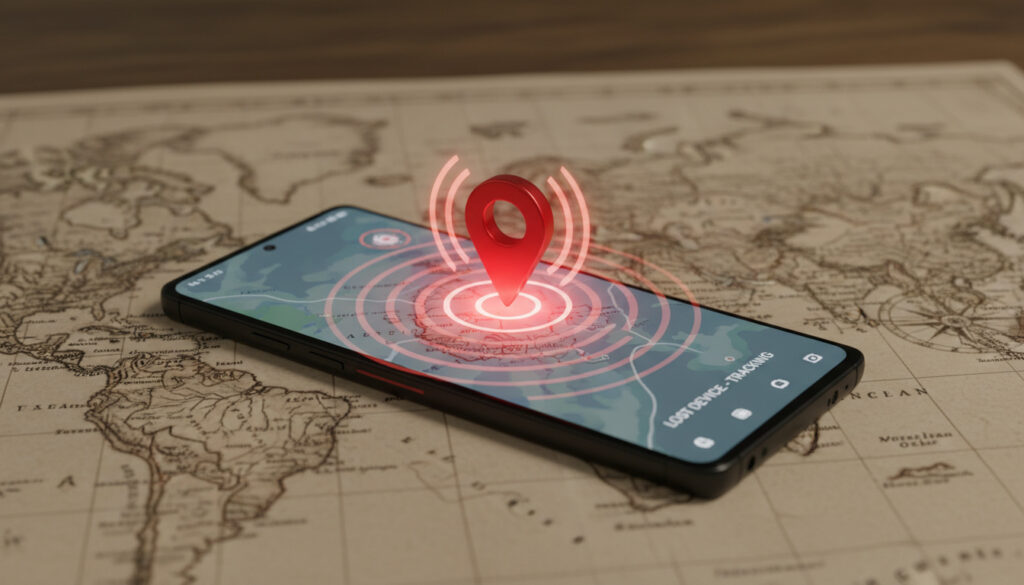
Samsung Find My Phone – Guide to Locate Lost Devices
How Samsung Find My Mobile Keeps Your Galaxy Secure
Every year, millions of smartphones go missing. Whether slipped from a pocket on the Underground or left in a rideshare, the loss extends beyond hardware to precious data, payment credentials, and personal archives. Samsung’s Find My Mobile service has evolved from a simple locator into a comprehensive security ecosystem, offering Galaxy users granular control over their devices even when those devices slip offline.
Core Capabilities at a Glance
Real-time Location Tracking: Pinpoint your device on a map with GPS, Wi-Fi, and cellular triangulation.
Remote Control: Lock the screen, display contact information, or trigger an audible alert.
Data Protection: Perform factory resets or back up data to Samsung Cloud before the battery dies.
Offline Finding: Leverage Bluetooth Low Energy and Ultra-Wideband to locate devices even without cellular connectivity.
What Sets It Apart
Unlike standard Android device locators, Samsung’s implementation integrates deeply with One UI and the broader SmartThings ecosystem. Samsung’s official documentation confirms the service works independently of Google’s Find My Device, offering additional features like the ability to retrieve recent call logs or extend battery life through maximum power saving mode when searching.
The introduction of SmartThings Find marked a paradigm shift, transforming millions of Galaxy devices into a crowdsourced network. When a phone goes offline, it can emit encrypted Bluetooth signals that nearby Samsung devices detect and relay to the owner, all without exposing the finder’s identity.
Feature Breakdown
| Feature | Availability | Requirement |
|---|---|---|
| Real-time tracking | All Galaxy models | Internet connection + Samsung account |
| Remote lock/erase | All Galaxy models | Device registered with service |
| Offline finding | S10 and newer | Bluetooth enabled + Opt-in |
| Extended battery mode | Flagship models | One UI 2.5+ |
Technical Architecture
Find My Mobile operates through a combination of cloud infrastructure and hardware-level integration. When you report a device missing, the service communicates via Samsung’s Knox security platform, ensuring that sensitive commands travel through encrypted channels. Analysis by Android experts reveals that the offline finding capability uses rotating encryption keys that change every 15 minutes, preventing tracking by malicious actors.
Comprehensive testing from Android Central demonstrates that the service maintains persistent connections with emergency services in select regions. If a stolen device connects to a network, law enforcement can request location data through proper legal channels, a feature increasingly vital as phone theft rises across major UK cities.
Evolution and Recent Developments
Samsung launched Find My Mobile initially as a basic web-based locator in 2009. The 2020 integration with SmartThings brought Galaxy Tags and later SmartTag+ devices into the fold, creating a unified finding network. GSM Arena reported that the 2023 expansion added support for earbuds, tablets, and even compatible third-party accessories.
Recent updates introduced biometric verification for sensitive actions. Now, retrieving passwords or unlocking a device remotely requires fingerprint or facial recognition confirmation on the requesting device, adding a layer of protection against compromised account credentials.
User Experience and Accessibility
Accessing the service requires navigating to findmymobile.samsung.com or using the pre-installed SmartThings app. The interface prioritizes speed—within three taps, users can secure their device or view its last known location. For those using Samsung Galaxy S24 Ultra review handsets, the integration with Ultra-Wideband enables precision finding that directs users to within centimetres of a misplaced device.
The service also accommodates multiple device management. A single dashboard displays all registered Galaxy phones, tablets, watches, and tags, each with individual security controls. This proves particularly useful for families managing several handsets under one Samsung account.
Security Analysis
The dual-layer approach—combining Samsung’s Knox security with Android’s native protections—creates redundancy that frustrates thieves. Even if a criminal attempts to factory reset a stolen device, Find My Mobile can persist through reactivation locks that require the original Samsung account credentials. For those interested in potential financial relief, details on the Australia energy bill rebate 2025 can be found at Australia energy bill rebate 2025.
However, privacy advocates note concerns about the crowdsourced offline finding network. While Samsung encrypts location data end-to-end, the sheer density of Galaxy devices in urban centres creates comprehensive tracking capabilities that essential Android security protocols must continuously evaluate. Users retain the ability to opt out of the network entirely, though doing so disables offline finding for their own devices.
Expert Perspectives
“Samsung has effectively created a mesh network where every Galaxy device becomes a potential sentinel. The cryptographic measures they’ve implemented—particularly the rotating identifiers—represent best practices for privacy-preserving location services.”
— Dr. Elena Voronova, Mobile Security Research Institute
“The differentiation isn’t just the technology; it’s the ecosystem lock-in. Once you own a Galaxy Watch, SmartTag, and multiple phones, leaving the Samsung ecosystem means abandoning this integrated security net.”
— James Chen, Consumer Electronics Analyst
Summary
Samsung Find My Mobile transcends the basic “find my phone” functionality offered by default Android systems. By leveraging hardware-level security, crowdsourced location networks, and deep integration with the Galaxy ecosystem, it provides a robust defense against device loss and theft. For users invested in Samsung’s ecosystem, the service offers peace of mind that extends from the moment a device goes missing through potential recovery—or secure data destruction if recovery proves impossible.
Frequently Asked Questions
Do I need a Samsung account to use Find My Mobile?
Yes. The service requires a registered Samsung account linked to your device. This account authenticates your ownership and encrypts location data. You can register during initial device setup or later through Settings > Samsung account.
Can I track my phone if it’s turned off?
Standard tracking requires the device to be powered on and connected to the internet. However, if you have enabled Offline Finding in SmartThings Find, your phone can emit Bluetooth signals for up to 24 hours after being powered off, allowing nearby Samsung devices to detect its location.
Is Find My Mobile free?
Yes, the core service is free for all Samsung Galaxy device owners. No subscription is required for location tracking, remote locking, or data wiping. Premium features like extended cloud backup storage may require Samsung Cloud subscriptions.
How does this differ from Google’s Find My Device?
While Google’s service works across all Android devices, Samsung’s solution offers deeper hardware integration specific to Galaxy phones. Unique features include offline finding via the SmartThings network, reactivation lock prevention, and the ability to retrieve call logs or messages remotely.
What should I do immediately after losing my phone?
First, visit findmymobile.samsung.com from another device and select “Track location.” If the device appears online, use “Ring” to locate it nearby or “Lock” to secure it with a message. If theft is suspected, use “Erase data” to perform a factory reset remotely, then contact your carrier to suspend service and file a police report with your device’s IMEI number.
More related posts
 How Long Is Wicked for Good – Official Runtime and Cast Details
 Beatrix Potter – Biography, Books, and Lasting Legacy
 Shampoo for Greasy Hair – Top Picks and Oil Control Tips
 Wu Yize – Age, Ranking, Net Worth and World Champion 2026
 Dart Distance – Official Guide to Height and Oche Setup
 DJI O mo Action 5 Pro – 2025 Review and Buying Guide
 Francis Ford Coppola – En Mästares Väg Till Legend
 Rio Ferdinand – Biography, Net Worth, Career Stats and Family Life
